
Cookies
Maskifi lets you import cookies into a stopped profile and export cookies from any profile (running or stopped) to a JSON file.
Import cookies
You can import cookies into a stopped profile without opening the browser first.
To import:
- In the Profiles list, open the three-dot row menu for the profile.
- Click Import cookies.
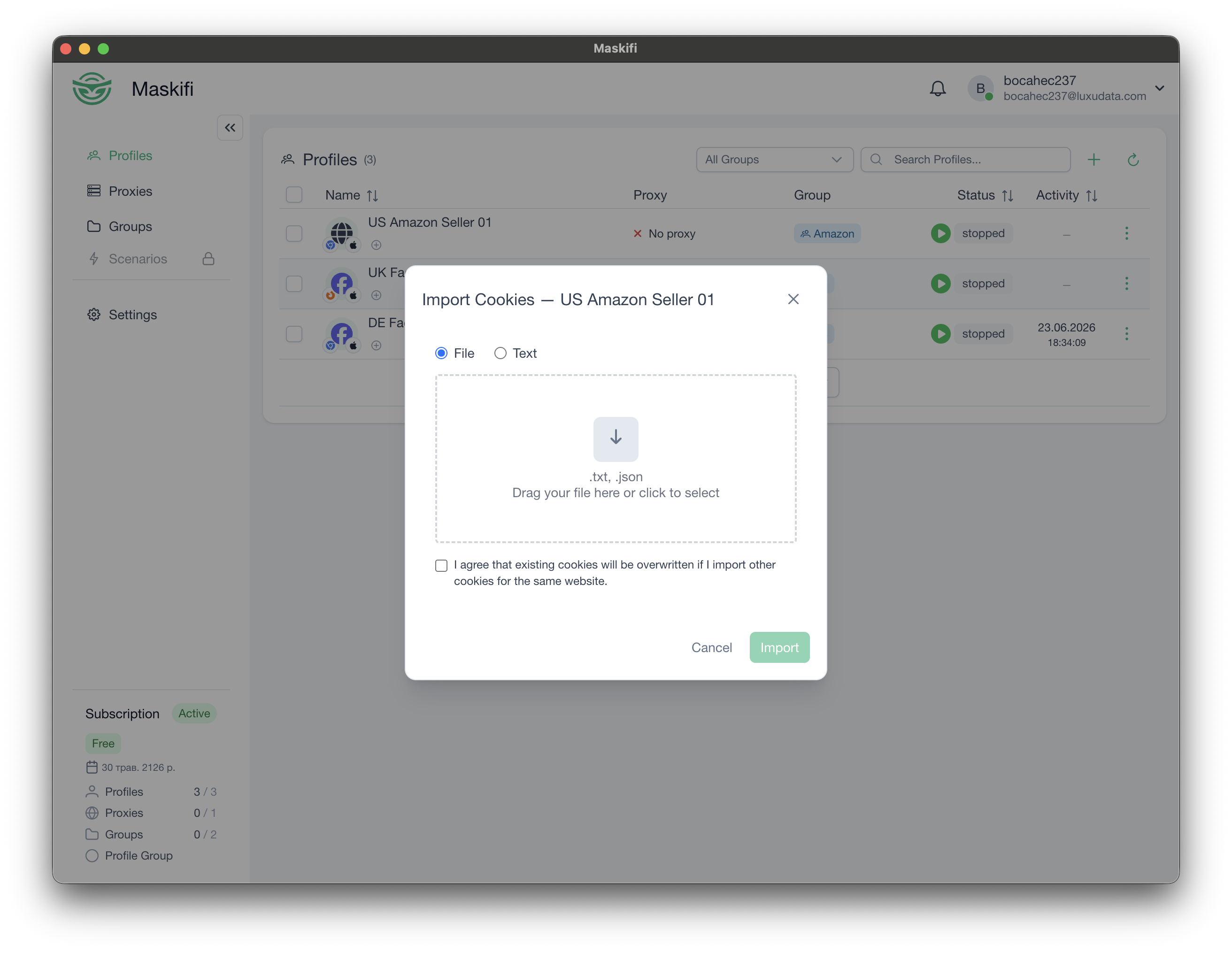
- The cookie import dialog opens. Choose how to provide the cookies:
- File — drag a cookie file into the drop zone, or click to pick one (max 1 MB).
- Text — paste cookie data directly into the text area.
- Check the I confirm I want to overwrite existing cookies checkbox. This is required to prevent accidental data loss.
- Click Import.
You cannot import cookies into a running profile. The option is disabled for active profiles.
Supported formats
The app accepts two formats:
JSON array — a standard browser cookie export, for example from a cookie-manager extension.
Netscape cookies.txt — the format used by many cookie-export tools.
If the file cannot be read, an error message is shown.
Export cookies
Cookie export saves the profile's cookies as a JSON file to your chosen location.
To export:
- Open the three-dot row menu for the profile.
- Click Export cookies.
A save dialog appears to choose where to save the file. A success or error notification confirms the result.
Initial cookies (at profile creation)
You can also supply cookies when creating a profile. The Initial cookies field in the create/edit form accepts a cookie file or pasted cookie data. These cookies are loaded into the profile on first use.
See Creating & editing for details.