
Adding & testing
Adding a proxy
-
Open Proxies in the left sidebar.
-
Click the + (plus) button in the top-right toolbar.
-
Fill in the proxy form:
Field Required Description Name Yes A label for your own reference. Type Yes Protocol: HTTP, SOCKS4, or SOCKS5. Host Yes IP address or hostname of the proxy server. Port Yes Port number. Username No Authentication username, if your proxy requires it. Password No Authentication password. Change IP URL No URL to trigger an IP rotation — see Change IP / rotation. Tags No Free-form labels to help you organize proxies. Comment No Your notes about this proxy. -
Click Save. The proxy appears in the list immediately.
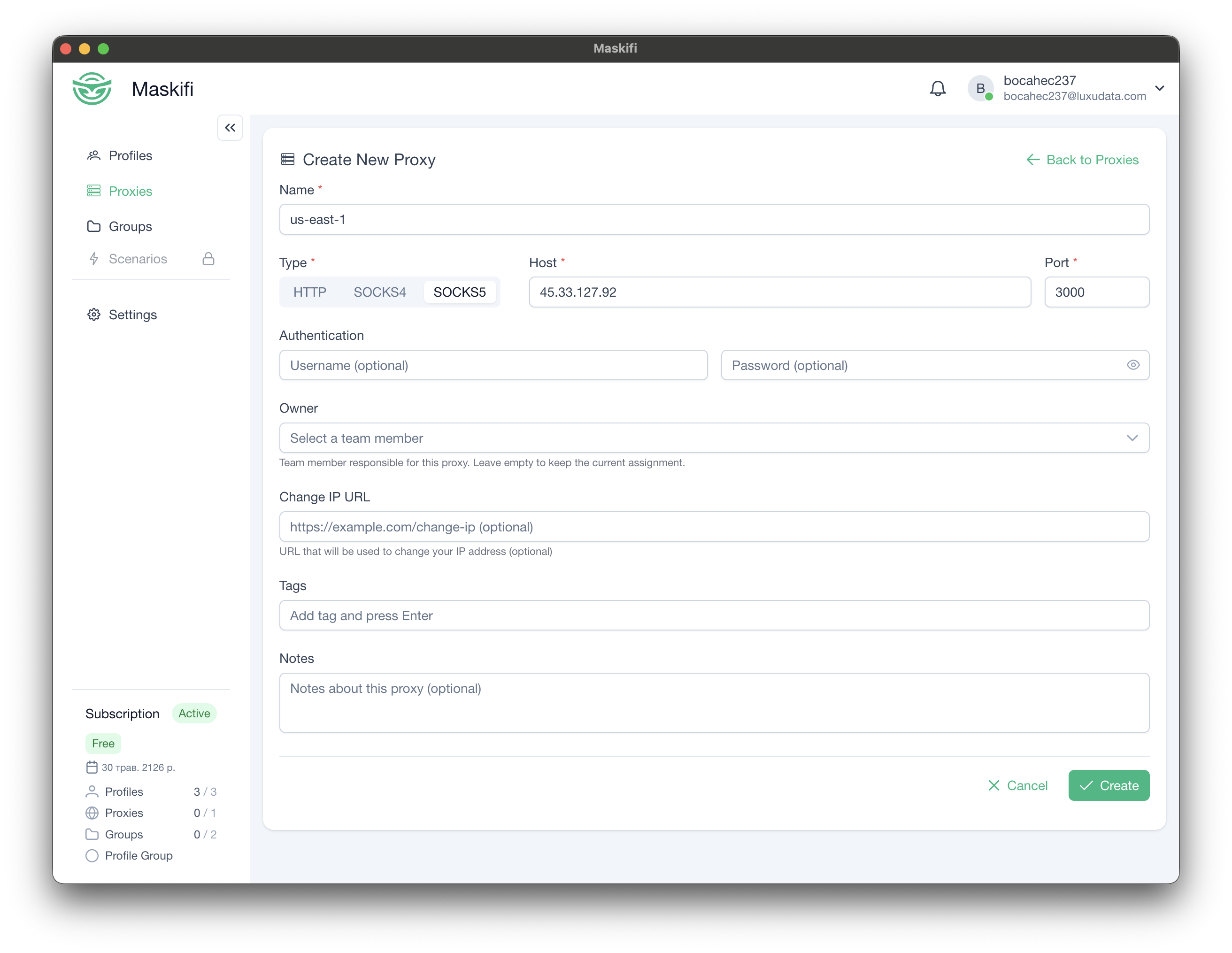
Required fields only
The minimum to add a working proxy is Name, Type, Host, and Port. Authentication fields are optional and can be left blank for unauthenticated proxies.
Testing a proxy
After adding a proxy you should verify it is reachable and returning the expected location before assigning it to a profile.
From the proxy list
- Go to Proxies.
- Find the proxy row you want to test.
- Click the refresh / test icon (rotate arrow) on the right side of the row.
- The icon spins while the test runs. When it finishes the row updates:
- A green check badge and the external IP + country flag appear in the Location column — the proxy is working.
- A red X badge appears — the proxy could not be reached. Hover or click the row's test icon to see the error message.
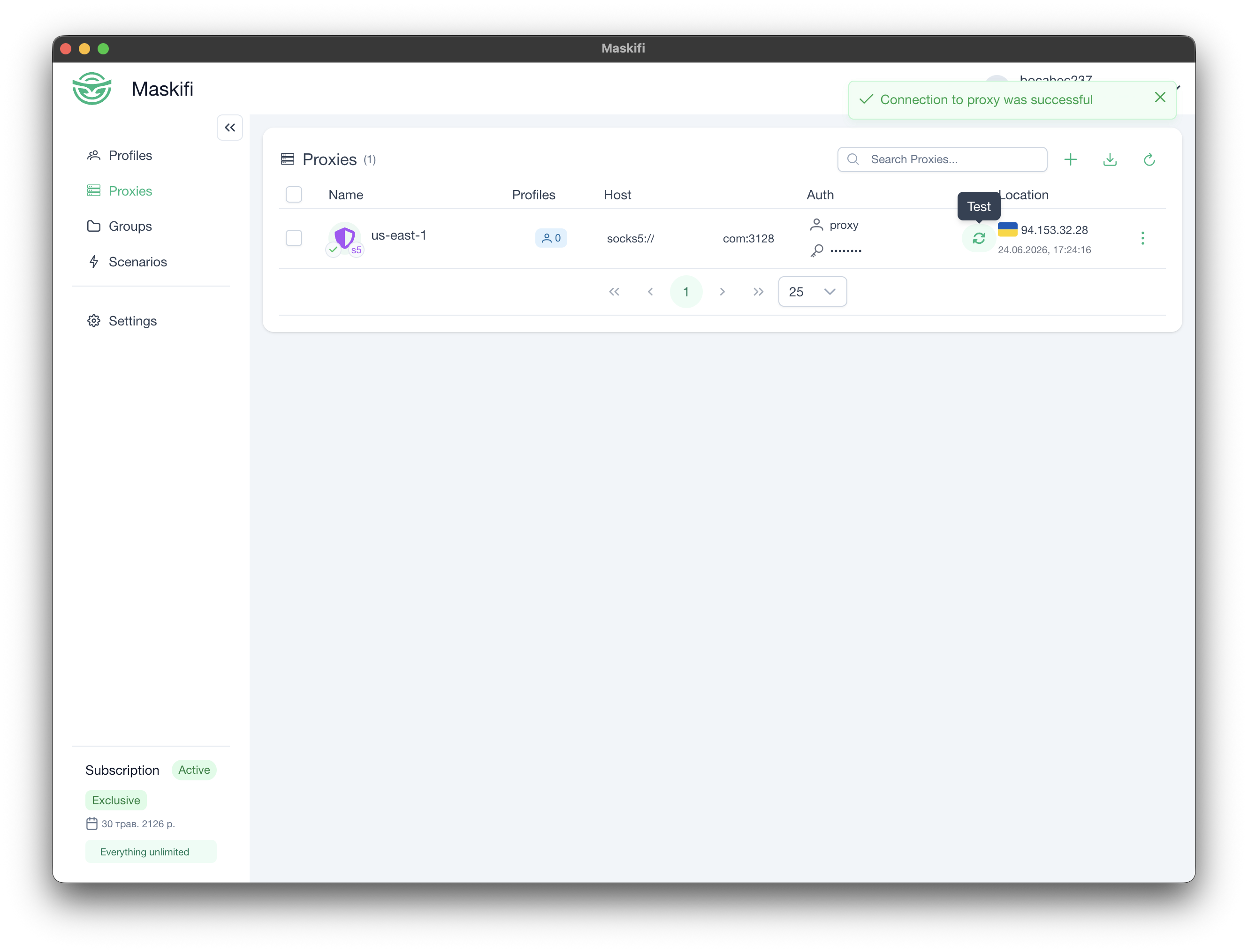
What the test result tells you
| Result field | Meaning |
|---|---|
| External IP | The IP address that the outside world sees when traffic exits through this proxy. |
| Country / flag | Confirms the proxy exits in the expected country. |
| Success / failure | Whether Maskifi could reach the proxy and obtain an external IP at all. |
Common failure reasons
- Wrong host, port, username, or password.
- The proxy server is offline or rate-limiting connections.
- A firewall between Maskifi and the proxy is blocking the connection.
- The proxy type does not match what the server expects (e.g., entering HTTP when the server is SOCKS5).